One repo, three apps for web, Windows and Android
Why SkyPos ships a cloud web app, an offline Windows till and an Android dashboard from one repo without sharing a runtime.
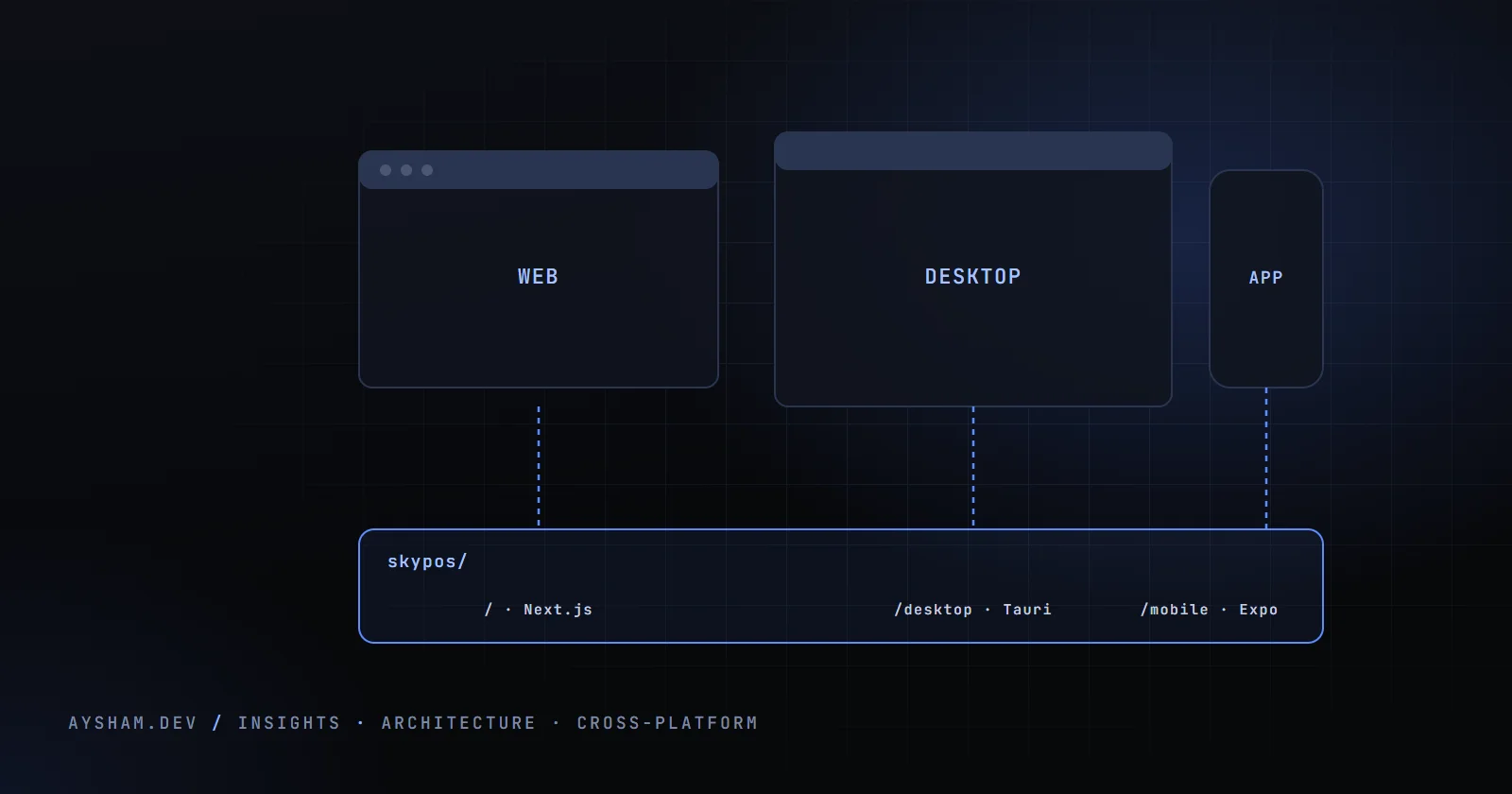
The usual way to put a product on web, desktop and mobile is one shared core, three thin shells and a webview. I assumed SkyPos would end up like that. It didn't, because each platform serves a different person: a multi-tenant cloud POS for shops with internet and several tills, a Windows till for one counter PC that may never be online, and an Android app for an owner checking the day's takings from home.
What lives where
Everything is in one Git repository, but it isn't a monorepo in the tooling sense. There's no pnpm-workspace.yaml and no shared package; each app has its own package.json and lockfile.
The root is the Next.js App Router app, /desktop the Tauri till, and /mobile an Expo Router app that only talks to the cloud API. The two smaller apps go out of their way not to pick up the big one. The desktop Vite config sets an empty inline PostCSS config so Vite doesn't walk up the tree to the root Tailwind config. The mobile Metro config watches only its own folder, resolves packages only from its own node_modules, and turns hierarchical lookup off. Otherwise Metro would crawl the sibling Next.js app, whose dependencies and React tree would confuse resolution and slow the bundler.
The Next app is on React 19.2, the desktop on React 18.3 and mobile on React Native 0.85. I wasn't willing to build a component package that works across all three.
The desktop till is a separate product
I first thought of this as "the web app in a Tauri window". It isn't. The desktop spec has a hard rule: no Supabase, no Postgres, no Node server, no realtime. It's a fully offline till for one counter PC with 3 to 4 GB of RAM, shipped as one NSIS installer.
Data is a single SQLite file, skypos.db, opened once through @tauri-apps/plugin-sql and reused. Migrations are plain SQL files compiled into the Rust binary and run by the plugin on startup. The front end writes raw SQL through a small query helper. The spec suggested a Drizzle schema, but the code went with raw SQL, and there are 21 numbered migrations in src-tauri/migrations.
"Reuse" here means porting, not importing. The schema copies the cloud field names (subtotal, discount, fee, total, splits, tendered) so both products describe a sale the same way. The refund and void status logic is commented as "ported from the cloud orders repository". The slip renderer is a copy: 743 lines in the cloud, 773 on the desktop, differing by about a hundred. The desktop's rules say it directly: take components and schema from the main repo, never import supabase-js.
Copying was deliberate. A shared layer that ran on React 18, read SQLite, never touched the network and still suited the cloud would have cost more than keeping two renderers aligned by hand. The price is drift.
The Rust side is five commands, split between lib.rs and two modules. get_machine_id reads the Windows MachineGuid for licensing. restore_db checks the SQLite header on a backup, keeps the current file as .pre-restore, and removes stale -wal and -shm files before swapping. An SMTP sender built on lettre emails receipts when the PC happens to be online. And qr.rs runs a small axum server on the local network, so a customer can scan a QR code at the counter and upload a photo or sign from their own phone without touching the cloud.
Platform-specific: printing, auth and offline
Printing
Web and desktop both print by rendering the slip as HTML into a hidden iframe and calling print() on it, with no native printer driver integration. The desktop hit a WebView2 quirk. A 0×0 iframe can end up with no layout tree in Chromium, and some WebView2 builds then print a blank page, because printing walks the frame's own layout. So the desktop gives the iframe real dimensions, 400 by 600 pixels, and parks it far off-screen.
Browsers handle the web's 0×0 iframe fine. The desktop also waits up to three seconds for images to decode, so logos don't print as empty boxes.
Auth
Each app authenticates differently.
- ›Web: Supabase auth with SSR cookies through
@supabase/ssr.proxy.tsgates pages by the user's role in their current shop. - ›Desktop: no remote accounts. Users are local, with a per-user random salt and a SHA-256 hashed PIN. The install is licensed once with an Ed25519-signed blob locked to a hash of the machine ID. Activation is the only time it needs the internet: it posts a code to
/api/desktop/activate, gets a signed licence back, and verifies it offline from then on. Only the public key ships in the app. - ›Android: a React Native app can't use the web's cookies, so
/api/mobile/*routes accept a bearer token instead.
Those mobile routes go through requireMobileSession. No token is a 401. The token is then sent to Supabase auth for verification, which works whatever key the app was built with, and an invalid or expired one is also a 401. Finally the user's role is resolved per shop from their memberships, as the web guards do.
On the phone, the Supabase session is stored in expo-secure-store rather than AsyncStorage, behind a four-digit PIN or biometric check. That lock doesn't authenticate to anything; it stops someone holding an unlocked phone from opening the dashboard. Five wrong PINs fall back to full email and password sign-in.
Key ideaEach platform got the auth model that fits its threat, not a shared one: cookies in the browser, a bearer token on the phone, a signed licence and a local PIN at the counter.
Offline
Only the desktop works offline. Backups use SQLite VACUUM INTO to write a timestamped copy into a folder the shop chooses, automatically on close too. A Google Drive or OneDrive sync folder gets it off-site with no API work.
The Android spec's "cache last snapshot" mode, using persisted TanStack Query, isn't built yet. The in-memory client with pull-to-refresh shows an error with no signal. The cloud web app needs a connection. An APP_MODE=local switch and a plan in docs/ for an on-premises build on self-hosted Supabase are marked as in progress.
The Android app is a dashboard, not a till
The mobile spec is plain: owner-only, read-only, never rings up a sale. Aggregation stays on the server. /api/mobile/summary reuses the same features/reports functions as the web reports page, so phone and browser can't disagree on revenue. It returns an all-branches rollup and a per-shop breakdown in one response, and the app's scope selector switches between them.
Its response types are copied into mobile/lib/api.ts and kept in sync by hand.
How each one ships
Each platform has its own release path, independent of the others.
Web: pushing to main deploys to production on Vercel, with no separate deploy step. Migrations are applied to Supabase first, one file at a time, and each must be idempotent. vercel.json only declares two nightly crons.
Desktop: a tag like desktop-v0.2.0 triggers a GitHub Actions workflow on windows-latest. It installs the desktop's own dependencies, sets up Rust and runs tauri-action, which builds the NSIS installer, signs the updater artefacts and publishes a GitHub Release with a latest.json manifest. In tauri.conf.json the identifier is za.co.spos.desktop, the bundle targets NSIS only with updater artefacts on, and the updater holds a minisign public key and one endpoint, that manifest.
On launch, the app checks the manifest once; a newer signed build gets a banner offering to download, install and relaunch. Offline, the check fails silently. There's one channel and no staged rollout.
Android: EAS Build produces APKs in the cloud, because the development machine is Windows with no Android toolchain. All three eas.json profiles, development, preview and production, build APKs, and production auto-increments a remotely held version. The plan is an APK download from spos.co.za instead of the Play Store, with JS-only changes pushed by EAS Update, but expo-updates isn't installed yet, so every change means a new APK.
What I'd do differently
- ›Extract the slip renderer before the third copy. Two copies of a 750-line file that differ by a hundred lines is manageable. If mobile ever shows a receipt, I'll have three. The renderer is a pure function from layout and data to HTML, the easiest thing in the repo to move into a small shared package.
- ›Generate mobile's API types. Copying
SummaryNumbersby hand works with two endpoints. A sharedtypesfolder, or a schema the route validates against and the app imports, would turn drift into a compile error. - ›Wrap the desktop sale in a transaction.
saveOrderruns the order insert, line inserts and stock updates as separate statements, with a comment noting there's only one writer. True, but a crash mid-sale still leaves a partial order.BEGINandCOMMITaround it is cheap. - ›Ship the mobile offline cache with the first APK. An owner on a bad connection gets an error instead of yesterday's numbers. The spec was right, and it's a small change with TanStack Query's persister.
- ›Add a beta channel for the desktop. Every tagged release reaches every till the next time it opens. A second manifest for a few willing shops would catch WebView2 printing issues before everyone else hits them.