Yoco payments in Next.js without double charges or lost orders
How a restaurant ordering site takes card payments through Yoco's hosted checkout and only marks an order paid when money moved.
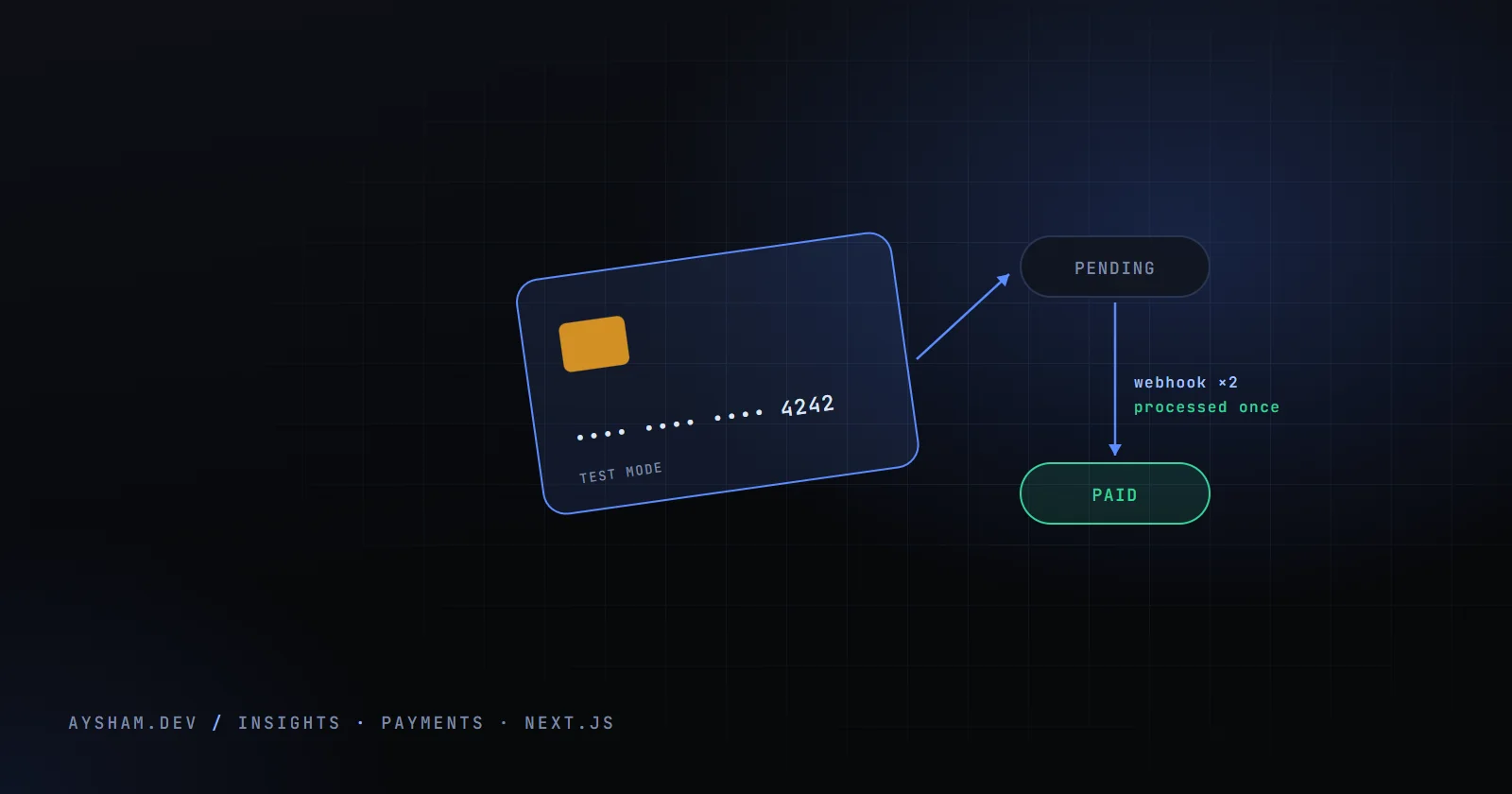
Savoury Nook is an online ordering site for a small restaurant: customers build a cart, pay by card through Yoco, and the owner watches orders arrive in a CMS. The first version marked an order paid when the customer's browser landed on the success page. That meant an order could be "paid" without any money moving, and a customer who paid and then lost signal never showed up as paid at all. The fix was to stop asking the browser anything and let one signed server-to-server message decide.
The flow
Yoco's hosted checkout keeps card details off my servers entirely. I create a checkout, send the customer to Yoco's page, and Yoco tells me what happened through a webhook. The redirect back to my site is for the customer's benefit only. It writes nothing.
The checkout page saves the order first, through the orders API, which prices every line on the server from the menu tables. Only then does it ask for a payment.
Creating the checkout from the order, not the cart
The first version of the payment route trusted the browser for what to charge and where to go afterwards. Now the route is rate limited, takes one thing, a well-formed order id, and reads everything else from the database.
Three details carry most of the weight. The amount comes from the stored total, rounded to integer cents and sent in ZAR, so nothing in the browser can change it. The redirect URLs are built from a canonical origin rather than the Host header. And the order id goes into the checkout's metadata, which is how the webhook finds the order later without trusting the customer's browser.
The route only starts a checkout for an order that is unpaid, pending, sent a payment link or in the WhatsApp flow. An order that is already paid, cancelled, still waiting for approval, rejected or timed out gets a 409 instead. Refusing a paid order is the first line of defence against double charging: reopen an old checkout tab, click pay, and there is no new checkout to pay into.
Two state columns, not one
An order has a kitchen status (pending, confirmed, preparing, ready, completed, cancelled) and a separate payment_status. Keeping them apart was the most useful modelling decision in the project, because different actors own them. The owner moves the kitchen status. Payment status has exactly three writers, each with a narrow job:
- ›The orders API creates it as unpaid, pending or whatsapp. Anything else the client sends is coerced to unpaid.
- ›The Yoco webhook is the only code that sets paid from a card payment, and the only code that sets failed or refunded.
- ›The owner can record a payment taken in person (cash, EFT or card machine), which stamps
marked_paid_bywith their email. They can undo their own mark, but the update handler refuses to touch a row wheremarked_paid_byis empty, so a Yoco-verified payment is never reversible from the panel.
marked_paid_by is the discriminator between "Yoco confirmed this" and "a person said so". The migration that added it says so in a comment: never infer a manual payment from the payment method alone, because another gateway would also write a method there.
Verifying the webhook
Yoco signs webhooks using the Standard Webhooks scheme. The signed content is the delivery id, the timestamp and the raw body joined with dots. The key is the base64-decoded part of the secret after its whsec_ prefix, and the signature is an HMAC-SHA256 of that content. A delivery whose timestamp is more than three minutes from the server's clock is rejected, which is the limit Yoco recommends.
The route verifies the raw body before parsing, because re-serialised JSON has different bytes and the signature no longer matches. The header can hold several signatures, and a match on any one is enough, which lets Yoco rotate a secret without dropping deliveries. The comparison uses Node's constant-time timingSafeEqual.
If YOCO_WEBHOOK_SECRET is missing the route returns 503 and touches nothing. Failing closed has a cost: payments happen and orders stay unpaid, silently. So an admin-only health endpoint reports whether the secret and API key are set (presence only), when the last event arrived, and how many recent events need a human.
Idempotency: claim the event before acting on it
Yoco retries until it gets a 2xx, so the same event will arrive more than once. The handler's first write is an insert into payment_events, keyed on the event id. Each row also keeps the delivery id, the event type, the order it belongs to, a status that starts as received, the raw event and a timestamp.
Key ideaThe primary key is the lock. A second delivery of the same event cannot get past the insert, however close together the two arrive.
A unique violation gets a 200 marked duplicate and no work; any other database error is a 500.
After the claim, the handler finds the order by the order id in the metadata, falling back to the checkout id, and compares the amount in cents. If they differ, the event is marked as a mismatch, the owner gets an alert, and the order is not marked paid.
If the order is already paid, a plain repeat is recorded as already paid. But if a person marked it paid by hand, the customer has paid twice. That branch exists because of a real sequence: the owner sends a WhatsApp payment link, the customer pays cash at the counter instead, the owner marks the order paid by hand, and later the customer also uses the link. Treating that webhook as a duplicate would hide a real double charge. Instead it sends a Telegram alert saying the order may need refunding.
Otherwise the order is marked paid, with the time, amount and Yoco as the method. A pending order moves on to confirmed; a cancelled one stays cancelled.
Unmatched, amount mismatch and paid twice are the statuses the health endpoint counts as needing attention.
When the webhook and the redirect disagree
The success page writes nothing, so the order of arrival does not affect correctness. It fetches the order status once and shows a "paid" badge if the webhook has landed. It also clears the cart there, not on the checkout page, so a cancelled payment leaves the cart intact.
Abandoned payments are harder, because Yoco sends no server-side event when someone closes the tab. There are two pieces for this:
- ›The cancel URL lands back on the checkout page, which asks the server to cancel the order, but only if it is still pending or confirmed and payment is still unpaid or pending.
- ›An approved order still unpaid after 15 minutes drops back from confirmed to pending. This runs when the owner's dashboard loads orders, not on a cron. Because the webhook moves a pending order to confirmed when payment lands, a late payment repairs the order by itself.
Test mode and live mode
The mode is decided by the secret key alone. An sk_test_ key creates test checkouts, an sk_live_ key real ones. Webhook subscriptions are per mode too, so the registration script runs once with each key, and each environment's webhook secret must match its key. A test-mode event cannot pass verification against the live secret.
How the owner sees orders
The orders panel subscribes to Supabase Realtime changes on the orders table, with a 10-second polling fallback in case Realtime is not configured. Row-level security limits reads to admins, so the subscription works for the owner and nobody else. Payment badges show the method and, for a payment recorded by hand, who recorded it. Payments, refunds, mismatches and double payments also go to Telegram, since the owner watches their phone more than the dashboard.
What I'd tell anyone building this
The lessons I would hand to anyone building Yoco webhooks:
- ›Only treat an event as done once it reached a final status. Claiming an event before acting on it stops duplicates, but a claim is not the same as a result. If processing fails after the claim, Yoco's retry has to get through.
- ›Make status changes conditional, in one statement. Reading an order and then writing to it leaves a gap for a late failure event or a person in the dashboard. Put the condition in the update itself, so that nothing can turn paid into failed, and do the success transition in a single database function.
- ›Poll on the success page. A single fetch can land a second before the webhook. A few retries over 20 seconds turn that into a "paid" badge.
- ›Check the event's mode. Each event says whether it is test or live. Rejecting a test event in production costs one line.